
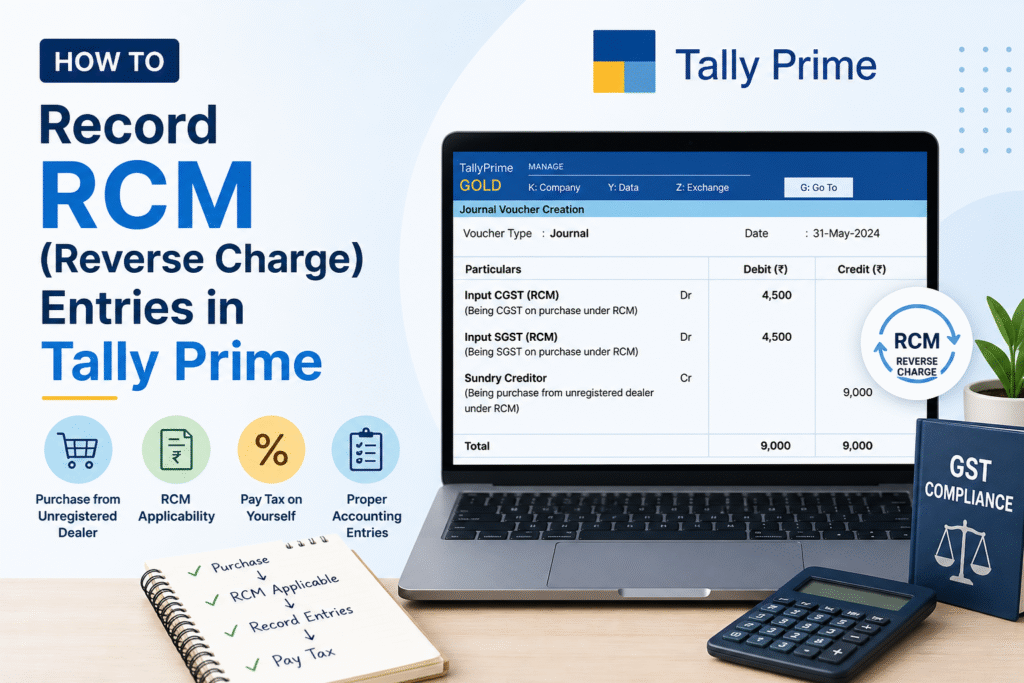
The Reverse Charge Mechanism (RCM) is a GST provision where the liability to pay tax shifts from the supplier to the recipient of goods or services. Under normal GST, the supplier collects and remits tax. Under RCM, the buyer becomes responsible for paying GST directly to the government — and can then claim it as Input Tax Credit (ITC), subject to eligibility conditions.
Tally Prime handles RCM through dedicated ledger configurations and voucher entries. Once set up correctly, the system auto-computes the tax liability and segregates RCM transactions from regular ones. This guide walks you through the complete recording process.
When Does RCM Apply?
RCM applies in two broad situations: when you purchase from an unregistered supplier, and when specific notified services or goods are procured regardless of supplier registration. Common examples include legal services from an advocate, services from a director to the company, import of services, goods transport agency (GTA) services, and rent-a-cab services.
Ledgers You Need to Create Before Entry
Before making any RCM voucher in Tally Prime, ensure the following ledgers exist under the correct groups. Incorrect grouping will cause mismatches in the GST return.
| Ledger Name | Group | Purpose | GST Applicable |
|---|---|---|---|
| RCM Input CGST | Duties & Taxes | Claim ITC on RCM (CGST portion) | Set as CGST |
| RCM Input SGST | Duties & Taxes | Claim ITC on RCM (SGST portion) | Set as SGST |
| RCM Input IGST | Duties & Taxes | Claim ITC on RCM (IGST portion) | Set as IGST |
| RCM Output CGST | Duties & Taxes | Record RCM liability payable | Set as CGST |
| RCM Output SGST | Duties & Taxes | Record RCM liability payable | Set as SGST |
| RCM Output IGST | Duties & Taxes | Record RCM liability payable | Set as IGST |
| Expense / Purchase Ledger | Purchase Accounts | Base amount of purchase | GST Applicable: Yes |
When creating tax ledgers for RCM in Tally Prime, always set “Is RCM Applicable” to Yes in the GST Details of that ledger. This tells Tally to treat it separately in GSTR filings.
Step-by-Step: Recording a Purchase Under RCM
The following steps cover the purchase voucher entry where GST is payable under reverse charge by your business.
Step 1 — Open Purchase Voucher. Go to Gateway of Tally > Vouchers > F9: Purchase. Switch to voucher mode if you are in invoice mode by pressing Ctrl+H and selecting “As Voucher”.
Step 2 — Select the supplier party ledger. If the supplier is unregistered, their ledger should be created under Sundry Creditors with “Unregistered” as their GST registration type. Tally will flag this automatically in certain cases.
Step 3 — Enter the base purchase or expense amount. Debit the relevant purchase or expense ledger for the base value. In the GST details section, mark “Is RCM Applicable” as Yes.
Step 4 — Add RCM Output Tax ledgers (liability side). Credit the RCM Output CGST and RCM Output SGST (or IGST for inter-state) ledgers with the applicable tax amounts. These represent the tax you owe to the government under RCM.
Step 5 — Add RCM Input Tax ledgers (ITC side). Simultaneously debit the RCM Input CGST and RCM Input SGST (or IGST) ledgers for the same tax amounts. This records your entitlement to claim ITC.
Step 6 — Verify the voucher. The net effect on the party ledger should reflect only the base amount. The tax legs cancel each other in terms of cash outflow but remain separate for GST return reporting.
Step 7 — Accept and save. Press Ctrl+A to save. Tally Prime will auto-populate this entry in GSTR-3B under the RCM tax payable section and in GSTR-2A/2B for reconciliation.
Recording RCM Payment to Government
RCM tax cannot be paid through Input Tax Credit. It must be paid in cash from the electronic cash ledger. After recording the purchase entry, create a separate payment voucher at the end of the month.
Step 1 — Open Payment Voucher (F5). Go to Gateway of Tally > Vouchers > F5: Payment.
Step 2 — Debit the RCM Output Tax ledgers (CGST, SGST, or IGST as applicable) for the tax amounts to be cleared.
Step 3 — Credit the Bank ledger for the total tax payment amount made through the GST portal.
Step 4 — Enter payment details including the challan number and date for a proper audit trail. Save the voucher.
Claiming ITC After RCM Payment
ITC on RCM purchases can only be claimed in the tax period in which the RCM tax has actually been paid to the government, not when the purchase entry is made. Once payment is done, the RCM Input Tax ledger balances become eligible for set-off against your output tax liability in subsequent months.
To use the ITC, ensure the RCM Input ledgers carry a debit balance. Tally will automatically apply this when computing net GST payable in GSTR-3B.
Verifying RCM in GST Reports
In Tally Prime, navigate to Gateway of Tally > Display More Reports > GST Reports > GSTR-3B. The RCM tax payable will appear under “Tax liability on reverse charge” in Table 3.1(d). Your ITC claim under RCM will appear in Table 4(A)(3). Cross-check both figures before filing.
Frequently Asked Questions
Q1. Can I claim ITC in the same month I record the RCM purchase entry?
No. Under GST law, ITC on RCM is available only in the tax period in which you actually pay the RCM tax to the government in cash. Even if the purchase entry is made in the current month, if payment is made in the next month, ITC is claimable only then.
Q2. What if the supplier is registered but the service falls under the RCM notification list?
RCM applies based on the nature of the supply, not just the registration status of the supplier. For notified services like legal services from an advocate, GTA, or import of services, RCM applies even if the supplier is GST-registered. In Tally, mark the purchase ledger with “Is RCM Applicable: Yes” regardless of supplier type.
Q3. Does Tally Prime auto-calculate RCM tax, or do I need to enter it manually?
Tally Prime can auto-calculate RCM tax if the purchase ledger and the service ledger are correctly configured with GST rates and RCM applicability. However, for many cases — especially unregistered purchases — you may still need to manually add the tax ledgers in the voucher to ensure correct bifurcation between RCM input and RCM output.
Q4. How do I handle RCM for import of services in Tally Prime?
For import of services, create the foreign supplier ledger under Sundry Creditors and set the country to the relevant foreign country. The transaction is treated as an inter-state supply, so IGST under RCM applies. Use RCM Output IGST and RCM Input IGST ledgers in your purchase voucher, and report the payment in GSTR-3B under Table 3.1(d).
Q5. Is there a threshold limit for RCM on purchases from unregistered dealers?
As of the current GST framework, the general provision requiring RCM on unregistered dealer purchases under Section 9(4) is active but with government-notified exemptions. You should check the latest CBIC notifications to confirm which unregistered purchases attract RCM for your industry, as applicability has been revised over time.
Q6. Will RCM entries appear in GSTR-1 as well?
No. RCM transactions are reported by the recipient, not the supplier. They do not appear in GSTR-1. RCM tax liability is reported in GSTR-3B under Table 3.1(d), and ITC claimed under RCM appears in GSTR-3B Table 4(A)(3).
Discover more from
Subscribe to get the latest posts sent to your email.