
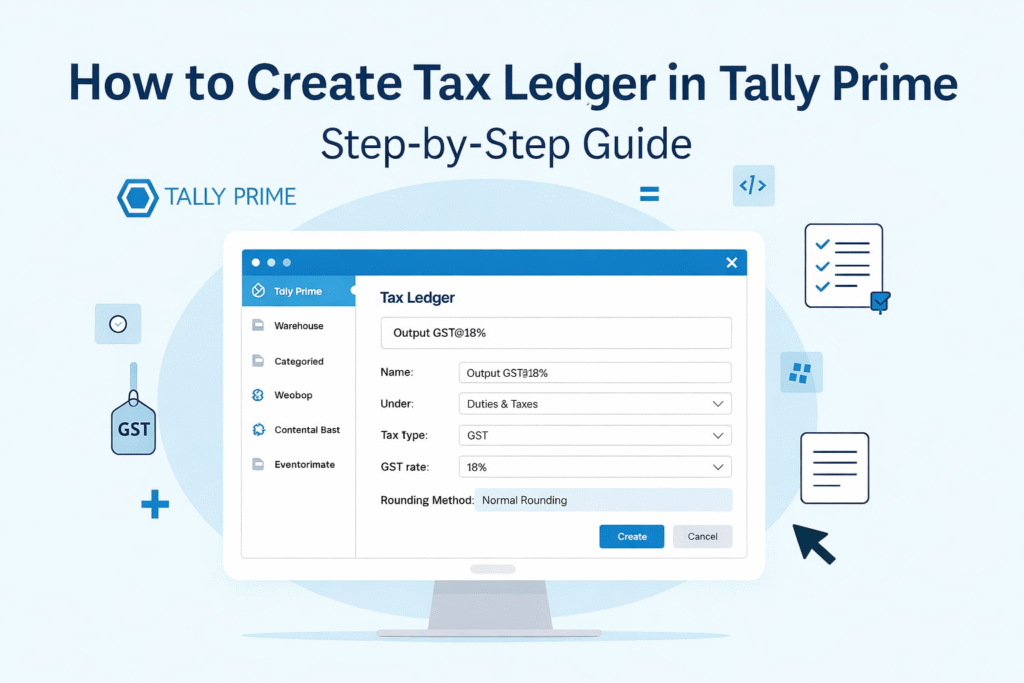
How to create tax ledger in Tally Prime showing GST ledger setup for CGST, SGST and IGST with two methods

How to Create Tax Ledger in Tally Prime

Introduction: If you are working with GST in Tally Prime, setting up tax ledgers correctly is one of the most important steps in accounting.

Many users face confusion between:

  • Creating GST ledgers with tax rates
  • Or applying GST through stock items

πŸ‘‰ A wrong setup can lead to:

  • Incorrect invoices
  • Mismatch in GST returns (GSTR-1 & GSTR-3B)
  • Compliance issues

In this guide, we will explain two practical methods of creating tax ledgers in Tally Prime, along with examples, differences, and best practices.

βœ… Prerequisites Before Creating Tax Ledger

Before you start, make sure:

  • GST is enabled in Tally Prime
  • Company GST details are filled correctly
  • β€œSet/Alter GST Details” option is enabled
  • You understand the difference between CGST, SGST, and IGST

πŸ”Ή Method 1: GST Rate-wise Tax Ledger

  1. In this method, you create separate ledgers for each GST rate.

    πŸ“Œ Example:

    • CGST @ 2.5%
    • CGST @ 6%
    • CGST @ 9%
    • SGST @ 2.5%, 6%, 9%

    πŸ”§ Step-by-Step Process:

    1. Go to Gateway of Tally
    2. Click on Create β†’ Ledger
    3. Enter Ledger Name
      Example: CGST @ 9%
    4. Under Group: Duties & Taxes
    5. Type of Duty/Tax: GST
    6. Select Tax Type:
      • CGST β†’ Central Tax
      • SGST β†’ State Tax
      • IGST β†’ Integrated Tax
    7. Enter Percentage of Calculation (e.g., 9%)
    8. Save

    πŸ‘‰ Repeat this process for all GST rates and tax types.

    βœ… Advantages:

    • Clear rate visibility in ledger name
    • Easy tracking of tax rate-wise data
    • Useful for simple businesses

    ❌ Disadvantages:

    • Large number of ledgers
    • Difficult to manage
    • Higher chances of manual mistakes

πŸ”Ή Method 2: GST via Stock Item (Recommended)

  1. In this method, you create only three ledgers:

    • CGST
    • SGST
    • IGST

    πŸ‘‰ GST rate is defined at the Stock Item level, not in the ledger.

    πŸ”§ Step-by-Step Process:

    Step 1: Create Tax Ledgers

    1. Go to Create β†’ Ledger
    2. Enter Name: CGST
    3. Under Group: Duties & Taxes
    4. Type of Duty/Tax: GST
    5. Tax Type: Central Tax
    6. Percentage: Keep 0% or blank
    7. Save

    πŸ‘‰ Similarly create SGST and IGST ledgers.

    Step 2: Set GST Rate in Stock Item

    1. Go to Create β†’ Stock Item
    2. Enter item name
    3. Enable Set/Alter GST Details
    4. Enter GST rate (e.g., 18%)

    βœ… Advantages:

    • Fewer ledgers
    • Easy to maintain
    • Automatic tax calculation
    • Ideal for multiple products

    ❌ Disadvantages:

    • GST rate not visible in ledger
    • Requires correct stock item setup

πŸ” Practical Example (Very Important)

Let’s understand with a real example:

πŸ‘‰ Product: Paper Glass
πŸ‘‰ GST Rate: 18%

Case 1: Intra-State Sale (Within State)

  • CGST: 9%
  • SGST: 9%

Case 2: Inter-State Sale (Outside State)

  • IGST: 18%

How it Works:

  • In Method 1 β†’ You select ledger like CGST @ 9%, SGST @ 9% manually
  • In Method 2 β†’ Tally automatically calculates tax based on stock item GST rate.Β 

❌ Common Mistakes to Avoid

  • Selecting wrong group (not using Duties & Taxes)
  • Choosing incorrect tax type (CGST vs IGST)
  • Mixing both methods incorrectly
  • Not setting GST rate in stock item (Method 2)
  • Entering wrong percentage in ledger

πŸ” Difference Between Both Methods

BasisMethod 1 (Rate-wise Ledger)Method 2 (Stock Item Based)
Number of LedgersHighLow
GST Rate Defined InLedgerStock Item
Ease of UseModerateEasy
Error ChancesHighLow
ScalabilityLowHigh
Best ForSmall BusinessesGrowing Businesses

🧠 Which Method is Used in Real Practice?

    • Most professionals and CA firms prefer Method 2
    • Businesses with multiple products use Stock Item based GST
    • It is more suitable for automation and long-term scalability

🎯 Final Conclusion

Both methods are valid in Tally Prime, but for most modern businesses, Method 2 (Stock Item Based GST) is the best choice.

It simplifies accounting, reduces errors, and supports business growth.

πŸš€ Need Help?

If you need help with:

  • Tally Prime GST setup
  • Ledger creation
  • Business-specific configuration

πŸ‘‰ You can contact me for professional support or get ready-made templates for quick setup.

FAQs – Tally Prime Tax Ledger Creation

Yes, but it is not recommended as it may create confusion and errors.

Method 2 is better because it reduces manual errors and ensures accuracy.

Yes, but changes may affect existing transactions, so be careful.

It may lead to incorrect tax calculation and GST return mismatch.

Leave a Comment

Your email address will not be published. Required fields are marked *