
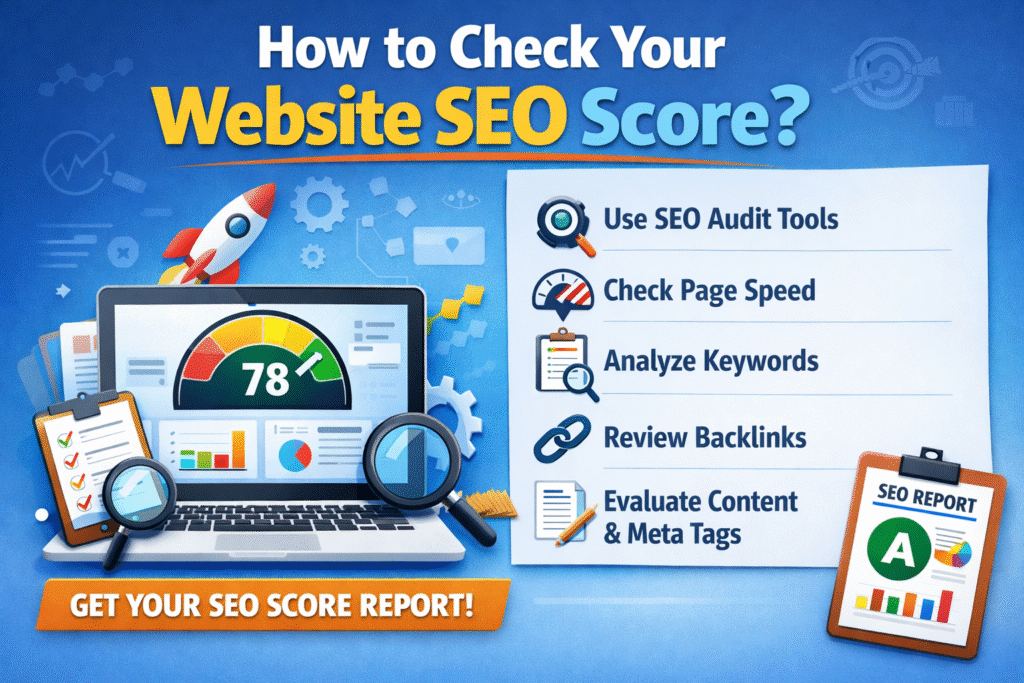
If you’ve ever wondered why your website isn’t showing up on Google’s first page — or why a competitor with a seemingly simpler site outranks you — the answer almost always lives inside your SEO score. This guide walks you through exactly what that score means, how to check it, what the numbers tell you, and what to do next.
What Is an SEO Score?
An SEO score is a composite metric that estimates how well your website is optimized for search engines like Google, Bing, and others. It typically ranges from 0 to 100 and is generated by auditing tools that analyze dozens — sometimes hundreds — of individual ranking signals all at once.
Think of it as a health checkup for your website. Just as a doctor looks at blood pressure, cholesterol, and other vitals to produce an overall health score, SEO tools look at your page speed, content quality, backlinks, mobile usability, and technical setup to produce a single, digestible number.
It’s important to understand that no single universal SEO score exists. Different tools (Semrush, Ahrefs, Moz, Google Search Console) each have their own algorithms and methodologies. What matters most is tracking your score consistently within one platform over time — and acting on the specific issues it surfaces.
Why Does Your SEO Score Matter?
Your SEO score is a proxy for how visible your website is to search engines. A low score doesn’t just mean bad rankings — it often points to a poor user experience, slow load times, broken pages, or thin content. All of these directly impact how many people find your business online.
Here’s the chain reaction: a higher SEO score → better search engine visibility → more organic traffic → more leads, sales, or readership. That’s why monitoring and improving it isn’t optional for any serious website owner.
Best Free and Paid Tools to Check Your SEO Score
1. Google Search Console (Free)
Google’s own free tool is the most authoritative source of SEO data available. It shows you real data on search impressions, click-through rates, crawl errors, Core Web Vitals, and indexing coverage. If you haven’t verified your site here yet, do it first — before anything else. Visit search.google.com/search-console to get started.
2. Semrush Site Audit (Freemium)
One of the most comprehensive audit tools on the market. Semrush crawls your entire website, checks over 130 technical and on-page SEO factors, and assigns a Site Health score (0–100). The paid version lets you audit unlimited pages, but the free tier is a solid starting point for smaller websites.
3. Ahrefs Site Audit (Freemium)
Ahrefs provides a Health Score alongside detailed issue breakdowns. It’s particularly strong for backlink analysis and competitive research. The free Ahrefs Webmaster Tools plan gives you access to site audit features after you verify site ownership.
4. Moz Pro (Freemium)
Moz introduced the concept of Domain Authority (DA) — a predictive score from 1 to 100 for how likely a site is to rank. Its site audit tool catches technical issues and on-page problems, and it’s especially useful for competitive benchmarking.
5. Google PageSpeed Insights (Free)
This tool specifically measures page load performance and Core Web Vitals — Google’s official user experience signals. It gives your pages a score from 0 to 100 for both mobile and desktop, along with specific recommendations to improve each score. Visit pagespeed.web.dev.
6. Ubersuggest (Freemium)
Neil Patel’s beginner-friendly tool gives you an SEO score, traffic estimates, backlink data, and keyword suggestions in a clean, accessible interface. You get three free reports per day before needing to upgrade.
7. Screaming Frog SEO Spider (Freemium)
A desktop-based crawler that audits up to 500 URLs for free. Screaming Frog is beloved by technical SEOs for its depth — it surfaces title tag issues, duplicate content, broken links, redirect chains, missing meta descriptions, and much more in one pass.
Key SEO Metrics You’ll Encounter
When you run an SEO audit, you’ll be faced with a range of metrics. Here’s what the most important ones actually mean:
Domain Authority (DA) / Domain Rating (DR): A predictive score (1–100) estimating how well your entire domain is likely to rank. Built by Moz (DA) and Ahrefs (DR), not by Google — but both correlate well with real-world ranking ability.
Core Web Vitals: Three Google-defined performance signals measured on real users — Largest Contentful Paint (LCP, page load speed), Interaction to Next Paint (INP, responsiveness), and Cumulative Layout Shift (CLS, visual stability). These are direct Google ranking factors.
Organic Traffic: The number of visitors arriving at your site from unpaid search results. This is the ultimate measure of SEO effectiveness — your score should translate into real traffic growth over time.
Backlink Profile: The number, quality, and relevance of external websites linking to yours. Backlinks remain one of Google’s strongest ranking signals — links from authoritative, relevant sites carry the most weight.
Crawl Errors: Pages or resources that search engine bots couldn’t access or index. Pages with crawl errors simply cannot rank, no matter how good their content is.
Title Tags & Meta Descriptions: HTML elements that define how your pages appear in search results. While meta descriptions aren’t a direct ranking factor, they significantly influence click-through rates.
Mobile Usability: How well your site functions on smartphones. Google uses mobile-first indexing, meaning it primarily crawls and ranks the mobile version of your site.
HTTPS / SSL Certificate: A confirmed Google ranking signal since 2014. Any site still running on HTTP in 2025 is leaving rankings on the table.
Step-by-Step: How to Check Your Website SEO Score
Follow these steps in order for a thorough, systematic audit.
Step 1: Set Up Google Search Console
Visit search.google.com/search-console and verify your website by adding a DNS record, HTML file, or meta tag. Once verified, check the Coverage report for indexing errors, the Core Web Vitals report for performance issues, and the Performance report to see which queries and pages drive your traffic.
Step 2: Run a Full Site Audit
Choose a tool — Semrush, Ahrefs, or Screaming Frog work well. Enter your domain and let the crawler run. For a 20-page site this takes minutes; for a 1,000-page site, plan for 20–30 minutes. When complete, you’ll have an overall score and a full breakdown of issues sorted by severity.
Step 3: Test Your Page Speed
Go to pagespeed.web.dev and test your most important pages — your homepage, main category or product pages, and your top-performing blog posts. Note your LCP, INP, and CLS scores for both mobile and desktop separately, as they often differ significantly.
Step 4: Analyze Your Backlink Profile
Use Ahrefs’ free backlink checker or Moz’s Link Explorer to see who’s linking to you, with what anchor text, and from what authority level. Flag any suspicious or irrelevant links — a toxic backlink profile can actively suppress your rankings.
Step 5: Audit On-Page SEO Elements
Check that every important page has a unique, keyword-relevant title tag (ideally 50–60 characters), a compelling meta description (120–158 characters), a clear H1 heading, logical H2/H3 subheadings, and alt text on all images. These elements should feel natural, not stuffed with keywords.
Step 6: Prioritize Your Fixes
Your audit will surface many issues. Resist the urge to fix everything at once — you’ll exhaust yourself and see scattered results. Instead, sort by severity: fix critical errors (broken pages, indexing blocks, HTTPS issues) first, then performance issues, then on-page optimization, then link building.
Understanding SEO Score Ranges
| Score Range | Rating | What It Typically Means |
|---|---|---|
| 0 – 34 | Poor | Significant technical problems, little to no authority, probably not ranking for much |
| 35 – 59 | Average | Functional site with notable gaps in optimization — improvement is very achievable |
| 60 – 79 | Good | Solid fundamentals in place; focus on content depth, link building, and page experience |
| 80 – 100 | Excellent | Top-tier optimization; marginal gains come from structured data, E-E-A-T, and precision |
A score of 70+ is where most well-maintained websites should aim. But remember: a lower score isn’t a verdict — it’s a to-do list.
How to Improve Your SEO Score
Fix Technical Errors First
Broken links, 404 pages, redirect chains, and misconfigured robots.txt files all hurt your score disproportionately. These are often quick fixes with big payoffs. Start with the “Critical” issues flagged in your audit report.
Speed Up Your Pages
The biggest page speed wins come from compressing and converting images to WebP format, enabling browser caching, using a CDN (Content Delivery Network), minifying CSS and JavaScript files, and implementing lazy loading for images below the fold. Together, these changes can dramatically improve your Core Web Vitals scores.
Write Better, Deeper Content
Google increasingly rewards content that demonstrates genuine expertise, authority, and trustworthiness — its E-E-A-T framework. For every key topic on your site, aim to create the most comprehensive, accurate, and useful piece of content available on that subject. Thin content (under 300 words with no original insight) actively hurts your score.
Build High-Quality Backlinks
Earn links from authoritative, relevant sites through guest posting, original research and data studies, digital PR campaigns, and creating genuinely link-worthy resources like comprehensive guides, interactive tools, or original infographics. Quality always beats quantity here — one link from a respected industry publication is worth more than 50 links from irrelevant directories.
Optimize for Mobile
Run your pages through Google’s Mobile-Friendly Test (search.google.com/test/mobile-friendly). Your site should use responsive design, have tap targets at least 48×48 pixels in size, and render readable text without the user needing to zoom.
Use Structured Data
Adding Schema.org markup to your pages helps search engines understand your content contextually and can unlock rich results — star ratings, FAQ dropdowns, product prices, event listings — directly in search results. Rich results consistently earn higher click-through rates than standard blue links.
Technical SEO Checks You Shouldn’t Skip
Canonical Tags: These tell search engines which URL is the “official” version of a page when similar content exists across multiple URLs. Missing or incorrect canonicals create duplicate content issues that dilute your ranking power.
XML Sitemap: Your sitemap.xml is a roadmap for crawlers. Make sure it’s up to date, includes all important pages, excludes redirected and 404 URLs, and is submitted in Google Search Console under Settings > Sitemaps.
Robots.txt: This small file instructs crawlers which parts of your site to access or skip. A misconfigured robots.txt can accidentally block your entire site from being indexed — always verify it after major site changes using the URL Inspection tool in Search Console.
Internal Linking: A logical internal link structure distributes authority across your site and helps crawlers discover new content. Make sure your most important pages are reachable from multiple other pages, and use descriptive, keyword-relevant anchor text.
Duplicate Content: Having the same or very similar content on multiple URLs confuses search engines about which version to rank. Use canonical tags, 301 redirects, and consistent URL structures to keep your content consolidated and clear.
How Often Should You Check Your SEO Score?
For most websites, a monthly full audit cadence is appropriate. Run a complete site audit at the start of each month, review your Google Search Console data on a weekly basis, and check PageSpeed Insights whenever you make significant design or development changes to the site.
After major updates — a site redesign, a CMS migration, or a large batch of new content — always run an immediate audit to catch any issues introduced by the changes.
Common Questions
1. Does my SEO score directly affect my Google ranking?
Not directly — Google doesn’t use any third-party tool’s score as a ranking input. However, a high score means you’ve addressed the factors Google does use. Think of your SEO score as a proxy for ranking readiness, not a direct lever.
2. My score dropped suddenly. What happened?
Sudden drops are usually caused by a recent site update introducing technical errors, a Google algorithm update, the loss of significant backlinks, or a spike in crawl errors. Check Search Console immediately for new errors, and cross-reference your timeline with Google’s publicly announced algorithm updates.
3. Is a perfect score of 100 achievable or necessary?
Technically achievable, but practically rare and genuinely unnecessary. Even authoritative websites like Wikipedia don’t score 100 on every tool. A score of 80+ with strong and growing organic traffic is a far better goal than chasing perfection on paper.
4. How long does it take to see improvement after fixing issues?
Technical fixes (crawl errors, HTTPS, broken links) can show results within a few weeks once Google re-crawls your site. Content and authority improvements typically take 3–6 months to reflect in rankings and traffic. SEO is a long game — consistency wins.
Final Thoughts
Your SEO score is not a final verdict on your website. It’s a starting point — a diagnostic snapshot that tells you where you stand and, more importantly, where to focus next.
The websites that consistently rank well aren’t the ones that achieved a perfect score overnight. They’re the ones that ran regular audits, fixed issues systematically, invested in quality content, and built authority steadily over months and years.
Start today. Run your first audit, identify your biggest gaps, and take one step at a time. The organic traffic rewards are well worth the effort.