The Government e-Marketplace (GeM) portal has transformed the way businesses supply goods and services to government buyers in India. Once an order is confirmed on GeM, the next critical step is raising a correct and complete invoice. Many sellers face delays or rejections simply because they miss submitting the right documents at the right stage.
This guide by BizWithTech walks you through every document required to raise an invoice on the GeM portal — clearly, without confusion.
Understanding the Invoice Process on GeM
Before diving into documents, it helps to know where the invoice fits in the GeM order lifecycle. After the buyer places an order and the seller confirms it, goods or services are delivered, a Consignee Receipt Certificate (CRC) is generated by the buyer, and only then does the invoice become payable.
Getting your documents right from the start prevents payment delays and reconciliation issues.
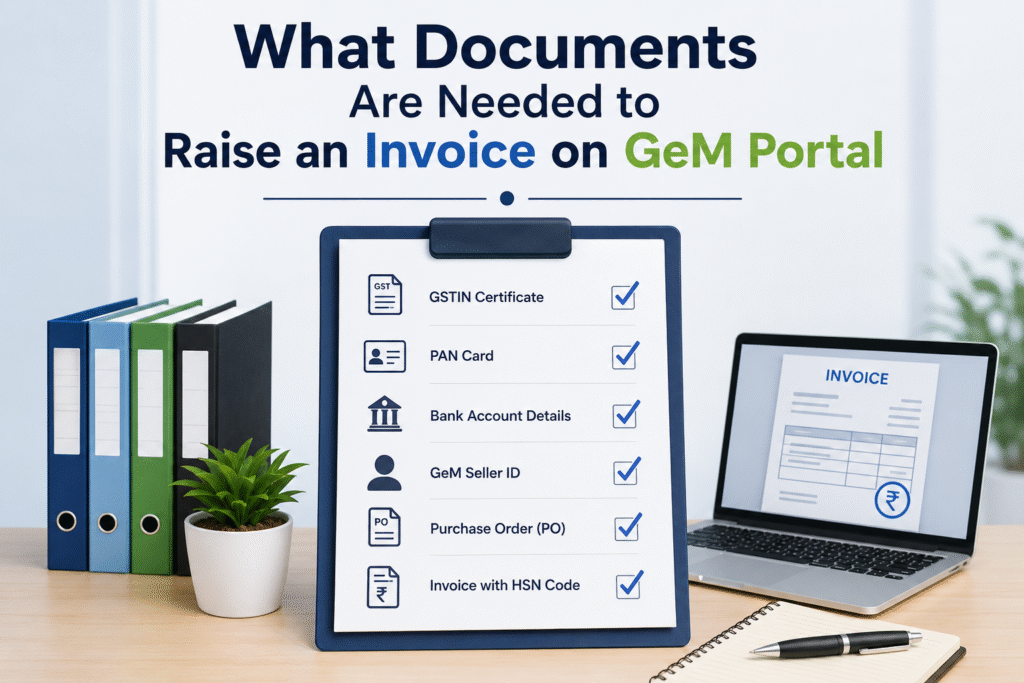
Core Documents Required to Raise an Invoice on GeM
1. GeM Order Copy
The purchase order generated on the GeM portal itself serves as the primary reference document. It contains the order ID, product/service details, quantity, rate, and delivery terms. Every invoice must correspond precisely to this order.
2. Consignee Receipt Certificate (CRC)
The CRC is issued by the government buyer after receiving and inspecting the goods or services. Without a CRC, the system will not allow invoice processing. This is a non-negotiable step — sellers must follow up with buyers to get the CRC generated promptly.
3. GSTIN and GST Invoice
A GST-compliant invoice is mandatory. It must include your GSTIN, buyer’s GSTIN, HSN/SAC code for the product or service, taxable value, applicable GST rate (CGST + SGST or IGST), and the invoice date and number in sequence.
4. Bank Account Details (Linked on GeM)
Payment is processed directly through the portal. Your bank account must be linked and verified on GeM before invoicing. If bank details are outdated or unverified, the payment will be put on hold regardless of invoice correctness.
5. PAN Card
PAN is required for financial verification and tax deduction at source (TDS) calculations. It must match the entity name registered on GeM.
6. Delivery Proof / Proof of Service Completion
For physical goods, this includes a delivery challan or logistics proof. For services, it is a work completion certificate or service delivery acknowledgement signed by the buyer. This document supports the CRC and protects sellers in case of disputes.
Document Summary Table
| Document | Purpose | Mandatory |
|---|---|---|
| GeM Purchase Order | Base reference for invoice | Yes |
| Consignee Receipt Certificate (CRC) | Confirms delivery/acceptance by buyer | Yes |
| GST Invoice | Tax-compliant billing document | Yes |
| GSTIN Certificate | Validates GST registration | Yes |
| PAN Card | Financial/TDS verification | Yes |
| Bank Account Details (GeM-linked) | Enables payment processing | Yes |
| Delivery Challan / Service Completion Certificate | Proof of order fulfillment | Yes |
| Performance Security / EMD Release Proof | Required for high-value orders | Conditional |
Additional Documents for Specific Cases
For High-Value Orders above a certain threshold, a Performance Security document may be required before invoice processing begins. Buyers may also ask for inspection reports from a third-party quality agency.
For Service Contracts, a detailed work completion report, attendance register (for manpower services), or milestone completion report may be required based on the contract terms.
For OEM or Brand Authorization Cases, a brand authorization certificate linking the seller to the original manufacturer should be available on the portal profile and may be referenced during invoice verification.
Common Mistakes That Delay Invoice Processing
Getting the documents right is only half the battle. These are the most frequent errors sellers make that stall payments.
Submitting the invoice before the CRC is generated by the buyer is the single biggest cause of rejection. Sellers must wait for the buyer to raise the CRC before proceeding.
A mismatch between the GST invoice amount and the GeM order value — even due to rounding — causes automatic flags in the system. The values must match exactly.
Uploading an invoice with an incorrect or missing HSN/SAC code leads to GST compliance issues and buyer-side rejections.
Bank account details not updated on the GeM portal result in payment failures even after invoice approval.
Step-by-Step: How to Upload the Invoice on GeM
After the CRC is generated by the buyer, log in to your GeM seller account. Navigate to the order details page and select the option to raise an invoice. Upload your GST invoice in PDF format, ensure all fields on the portal form match your invoice, attach supporting documents where required, and submit.
Keep a record of the acknowledgement number generated after submission. This helps in tracking payment status.
Frequently Asked Questions
Q. Can I raise an invoice on GeM before the buyer generates the CRC?
No. The CRC is a prerequisite for invoice processing on GeM. The system itself blocks invoice submission until the CRC is in place. Follow up with the government buyer’s nodal officer to expedite CRC generation.
Q. What if there is a GST rate discrepancy between my invoice and the GeM order?
The GST rate on your invoice must match the rate captured in the GeM order at the time of bidding. If there is a discrepancy, raise a grievance through the GeM portal’s seller support section before submitting the invoice.
Q. Is a physical stamp or signature needed on the GST invoice uploaded to GeM?
For most orders, a digitally generated GST invoice without a physical stamp is accepted. However, certain government departments may ask for a signed copy. Always check the order-specific instructions from the buyer.
Q. How long does payment take after invoice submission?
As per GeM guidelines, government buyers are required to process payments within a stipulated period after invoice acceptance. Delays may occur if internal approvals at the buyer’s end are pending. Track status under the payment section of your seller dashboard.
Q. What happens if I upload a wrong invoice on GeM?
Once submitted, invoices generally cannot be edited. You may need to contact GeM support or the buyer to cancel and resubmit. This causes significant payment delays, so verify all details before submission.
Q. Do I need to submit physical documents anywhere?
No. The GeM portal is entirely digital. All documents are to be uploaded on the portal itself. Physical submission is not required unless specifically requested by the buying department for internal audit purposes.
Q. Can a composition dealer raise an invoice on GeM?
Composition scheme dealers cannot charge GST on their invoices and are generally not eligible to supply to government buyers on GeM under the standard invoicing mechanism. It is advisable to consult a GST practitioner before registering on GeM as a composition dealer.
Final Word from BizWithTech
Raising an invoice on GeM is straightforward when your documents are in order. The process becomes complicated only when sellers skip steps — particularly waiting for the CRC — or when their GeM profile information is not updated to match the invoice details.
At BizWithTech, we help businesses navigate the GeM portal from registration to payment. If you need support with your GeM seller account, invoice management, or resolving payment disputes, reach out to our team.
Discover more from
Subscribe to get the latest posts sent to your email.