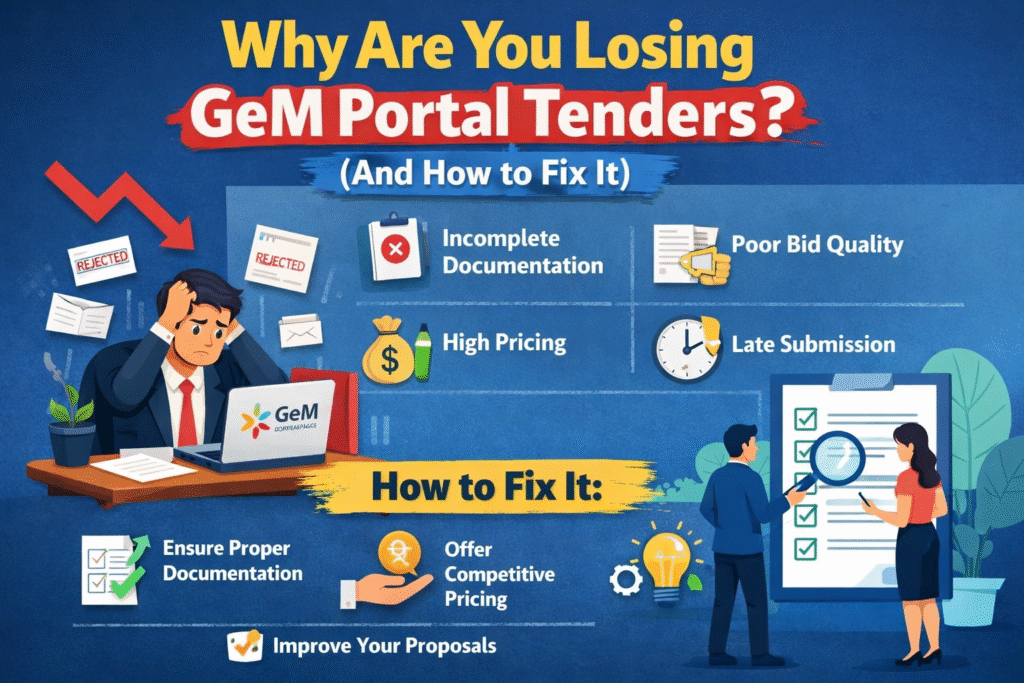
You Bid… But Never Win?
You registered on GeM Portal. You found tenders. You placed your bid.
But still — no order.
You are not alone. Thousands of sellers face this every day. The good news? Most losses are avoidable.
Let’s break down exactly why you are losing — and how to fix it, step by step.
Reason 1: Your Price is Too High
GeM is a price-sensitive platform. The government always looks for the lowest reasonable price. Even a small price difference can push your bid down the list.
The Fix:
- Check what competitors are charging for the same product
- Use the “Price Trends” section on GeM to understand market rates
- Keep your price competitive without cutting into your profit margin
- Offer discounts on bulk quantities when possible
Reason 2: Your Product Listing is Incomplete
Many sellers lose tenders simply because their product page looks unfinished. Buyers skip listings that don’t have proper details.
The Fix:
- Add clear, high-quality product images (minimum 3-4 photos)
- Write a complete product description with all specifications
- Mention brand, model number, warranty, and delivery time
- Fill every field on the product form — leave nothing blank
Reason 3: You Don’t Have the Right Certifications
Government buyers on GeM prefer sellers who have verified credentials. Missing certifications reduce your credibility instantly.
The Fix:
- Get your Udyam Registration (MSME certificate) if you haven’t already
- Add relevant product certifications like ISI, BIS, or ISO
- Upload all documents properly in your GeM seller profile
- Keep your certifications updated and not expired
Reason 4: Your Delivery Time is Too Long
If your competitor offers delivery in 7 days and you are offering 21 days, the buyer will choose them — even if your price is lower.
The Fix:
- Set a realistic but fast delivery timeline
- Partner with reliable logistics providers
- Mention accurate delivery locations and pin codes you serve
- Always fulfil the delivery timeline you promise — your rating depends on it
Reason 5: Low Seller Rating
Your GeM seller rating is your reputation. Buyers check it before placing an order. A low rating = low trust = no orders.
The Fix:
- Deliver orders on time, every time
- Maintain good product quality so buyers don’t raise complaints
- Respond quickly to any buyer queries or issues
- Avoid order cancellations from your side
Reason 6: You Are Targeting the Wrong Tenders
Many sellers bid on every tender they see — even ones they are not qualified for. This wastes time and hurts your win rate.
The Fix:
- Only bid on tenders that match your product category exactly
- Read the tender requirements carefully before bidding
- Check if you meet the eligibility criteria — turnover, experience, certifications
- Focus on smaller tenders first to build your track record
Quick Comparison: Losing Seller vs Winning Seller
| Area | Losing Seller | Winning Seller |
|---|---|---|
| Pricing | Higher than market rate | Competitive and researched |
| Product Listing | Incomplete, few images | Detailed, professional photos |
| Certifications | Missing or expired | Updated and verified |
| Delivery Time | Too long | Fast and reliable |
| Seller Rating | Low due to poor service | High due to consistency |
| Tender Selection | Bids on everything | Bids on right tenders only |
Reason 7: You Are Not Updating Your Catalogue Regularly
GeM gives more visibility to active sellers. If you listed your products once and never touched them again, the portal may push your listing lower in search results.
The Fix:
- Log in to your GeM account at least 2-3 times a week
- Update product prices as per market changes
- Add new products regularly to your catalogue
- Keep your stock availability status accurate
Reason 8: You Are Missing Bid Deadlines
This one sounds obvious, but many sellers miss tender deadlines because they are not tracking them properly.
The Fix:
- Set reminders for every tender you plan to bid on
- Check the GeM portal daily for new tenders in your category
- Use the “Bid Deadlines” filter to sort active tenders
- Never wait for the last minute to submit — technical issues can happen
Simple 5-Step Action Plan to Start Winning
Step 1 — Fix your seller profile. Make it 100% complete with all documents and certifications.
Step 2 — Update your product listings with proper images, descriptions, and competitive pricing.
Step 3 — Research 5 tenders in your category and study why the winner won.
Step 4 — Bid only on tenders where you meet all requirements and can deliver on time.
Step 5 — Track your bids, learn from losses, and improve with every tender.
Final Word
Losing tenders on GeM Portal is frustrating — but it is fixable.
Most sellers lose not because of bad luck, but because of small mistakes that are easy to correct. Focus on your profile, your pricing, your delivery, and your consistency.
The sellers who win on GeM are not the biggest companies. They are the most prepared ones.
Start fixing these mistakes today — and your next bid could be your first win.
Discover more from
Subscribe to get the latest posts sent to your email.