
What is GeM Portal?
GeM (Government e-Marketplace) is an online platform where businesses can sell products and services directly to government buyers — ministries, departments, PSUs, and more.
If you’re a seller, listing your products on GeM can open doors to lakhs of government orders every year.
Before You Start — Things You Need
Make sure you have these ready before starting:
- Valid Aadhaar card (for individual/proprietor)
- PAN card of business or owner
- GSTIN (GST Registration Number)
- Bank account details
- Business registration documents (if applicable)
- Product details — images, description, price, HSN code
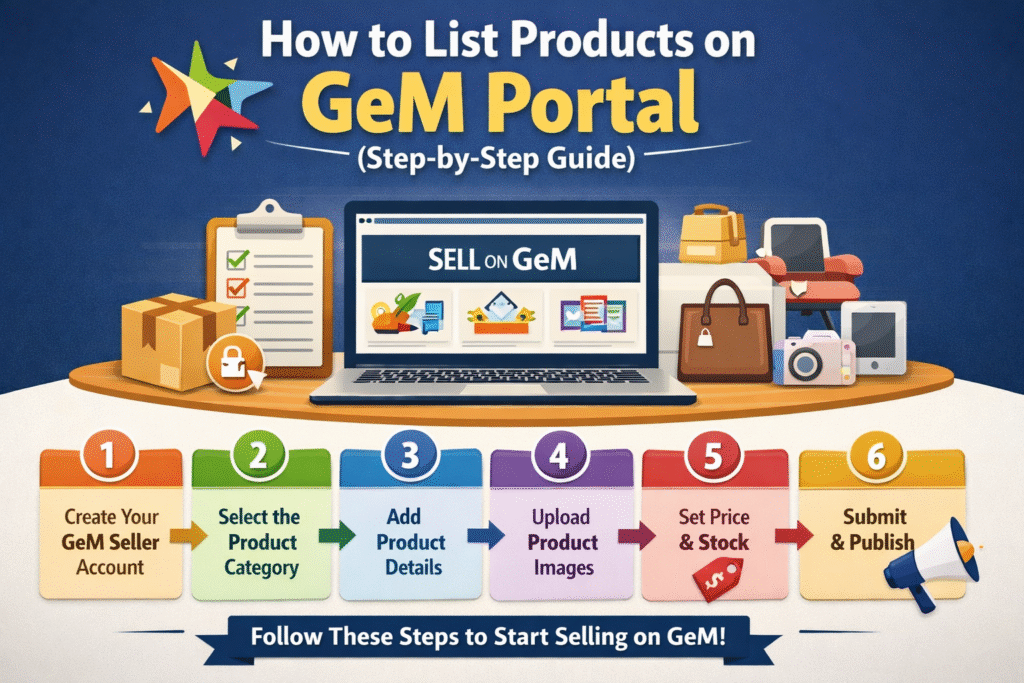
Step-by-Step: How to List Products on GeM Portal
Step 1 — Register as a Seller on GeM
- Go to gem.gov.in
- Click on “Sign Up” and select “Seller”
- Enter your Aadhaar number and verify via OTP
- Fill in your PAN, GSTIN, and bank details
- Complete your seller profile
Tip: Use your exact name as on Aadhaar — mismatch will cause registration failure.
Step 2 — Log In to Your Seller Dashboard
- Visit gem.gov.in and click “Login”
- Enter your registered mobile number and OTP
- You will land on your Seller Dashboard
Step 3 — Go to “My Products” Section
- On the dashboard, look for the “Catalogue” or “My Products” menu
- Click on “Add New Product”
Step 4 — Search for the Product Category
- Use the search bar to find the right product category
- GeM has pre-defined categories — select the one that best matches your product
- If your product fits an existing catalogue, you can directly add to it
Tip: Choosing the wrong category can lead to your listing being rejected. Search carefully.
Step 5 — Fill in Product Details
This is the most important step. Fill in all required fields:
- Product name and brand
- HSN code
- Detailed description
- Technical specifications
- Price (inclusive or exclusive of GST — mention clearly)
- Country of origin (mandatory — mention “India” if Make in India)
- Warranty details (if applicable)
Step 6 — Upload Product Images
- Upload minimum 3 to 4 clear product images
- Images should be on a white background
- No watermarks or text allowed on images
- File size should be within the limit (usually under 2MB per image)
Tip: Good quality images increase your chances of getting orders.
Step 7 — Set Pricing and Delivery Details
- Enter your product price
- Mention available stock quantity
- Set delivery timeline (in days)
- Select delivery locations — pan India or specific states
Step 8 — Submit for Approval
- Review all the details once
- Click “Submit” or “Publish”
- GeM team will review your listing
- Approval usually takes 2 to 5 working days
Step 9 — Track Your Listing Status
- Go to “My Products” on your dashboard
- Check status — Pending, Approved, or Rejected
- If rejected, read the reason and re-submit after corrections
Quick Overview Table
| Step | Action | Time Required |
|---|---|---|
| 1 | Seller Registration | 1 Day |
| 2 | Login and Dashboard Setup | 10 Minutes |
| 3 | Select Product Category | 5-10 Minutes |
| 4 | Fill Product Details | 15-20 Minutes |
| 5 | Upload Images | 5 Minutes |
| 6 | Set Price and Delivery | 5 Minutes |
| 7 | Submit for Approval | Instant |
| 8 | Get Approval | 2-5 Working Days |
Important Tips for Sellers
- Always keep your GST and PAN updated on the portal
- Write product descriptions in simple, clear English
- Do not copy descriptions from other sellers
- Keep your stock quantity updated to avoid order cancellations
- Respond to buyer queries quickly — it builds your seller rating
- Offer competitive pricing — government buyers compare multiple sellers
- Make sure your product complies with BIS or quality standards if applicable
Common Mistakes to Avoid
- Uploading blurry or incorrect product images
- Entering wrong HSN code
- Leaving mandatory fields blank
- Pricing higher than market rate without justification
- Not mentioning country of origin
FAQs
FAQs
Q1. Is it free to list products on GeM Portal?
Yes, listing products on GeM is completely free of cost. There is no registration fee, no listing fee, and no subscription charge for sellers. However, GeM does deduct a small transaction fee from the order value when you receive a government order. This fee varies based on the product category and order amount, but it is very minimal compared to the benefits you get.
Q2. How long does product approval take on GeM?
After you submit your product listing, GeM’s team reviews it for accuracy and compliance. Generally, approval takes 2 to 7 working days. However, if your product details are incomplete, images are unclear, or the HSN code is wrong, the review process may take longer or the listing may get rejected. To speed up approval, make sure all details are filled correctly before submitting.
Q3. Can a small business or startup sell on GeM?
Absolutely yes. GeM is open to MSMEs, startups, individual proprietors, partnership firms, private limited companies, and even self-help groups (SHGs). In fact, the government gives special preference to MSME and startup sellers during procurement. If your business is registered under Udyam (MSME registration), make sure to link it to your GeM account for added benefits.
Q4. What documents are required for GeM seller registration?
You will need the following documents to complete your seller registration on GeM:
- Aadhaar card (for identity and OTP verification)
- PAN card of the owner or business
- GSTIN (GST registration number)
- Active bank account with IFSC code
- Business registration certificate (if applicable — like partnership deed, incorporation certificate, etc.)
- Udyam registration number (if registered as MSME)
Make sure all documents are valid and details match across all records to avoid verification issues.
Q5. Can I list both products and services on GeM?
Yes, GeM allows you to list both products and services under the same seller account. Products include physical goods like furniture, electronics, stationery, etc. Services include IT services, manpower, consulting, printing, and more. The listing process for services is slightly different from products — you need to fill in service-specific details like scope of work, manpower details, and service area.
Q6. What happens if my product listing gets rejected?
If your listing is rejected, GeM will notify you with a reason for rejection. Common reasons include wrong category selection, incorrect HSN code, poor quality images, missing specifications, or pricing issues. You can simply correct the mentioned errors and resubmit the listing for review. There is no penalty for resubmission, so take your time to fix all issues before sending it again.
Q7. Is GST registration mandatory to sell on GeM?
Yes, GSTIN is mandatory for listing products on GeM Portal. Without a valid GST registration, you cannot complete the seller profile or add product listings. However, if your annual turnover is below the GST exemption limit and you are not required to register for GST, you should check the latest GeM guidelines as there are some special provisions for small sellers and artisans in certain categories. It is always best to consult a CA or GeM helpdesk in such cases.
Q8. How do I receive payments for orders on GeM?
Payments on GeM are processed through the government’s digital payment system. Once you deliver the product and the buyer confirms receipt, the payment is released to your registered bank account. GeM follows a secure and transparent payment process. Typically, payments are made within 10 days of order acceptance and delivery confirmation, though timelines can vary by department.
Q9. Can I update the price of my listed product later?
Yes, you can update the price of your product at any time from your seller dashboard. However, keep in mind that frequent or sudden price hikes may affect your seller rating and buyer trust. Also, if there is an ongoing bid or reverse auction involving your product, price changes may not apply to that specific order.
Q10. What is the GeM Wishing Well and how does it help sellers?
GeM Wishing Well is a feature where government buyers post their requirements for products or services they need. As a seller, you can browse these requirements and offer your products if they match. It is a great way to find active buyers and get orders faster, especially when you are just starting out on the platform.
Final Words
Listing products on GeM is a great opportunity for any business — small or large — to grow by selling to the government. The process is straightforward once you have all documents ready.
Follow each step carefully, keep your listings updated, and you will start receiving orders in no time.
For more such guides on growing your business digitally, keep following BizWithTech.
Discover more from
Subscribe to get the latest posts sent to your email.